Features

Everything PDF Reader can do

A reader, editor, document scanner and offline converter in one Android app — and, just as important, what it doesn't do yet.

Get it on Google Play
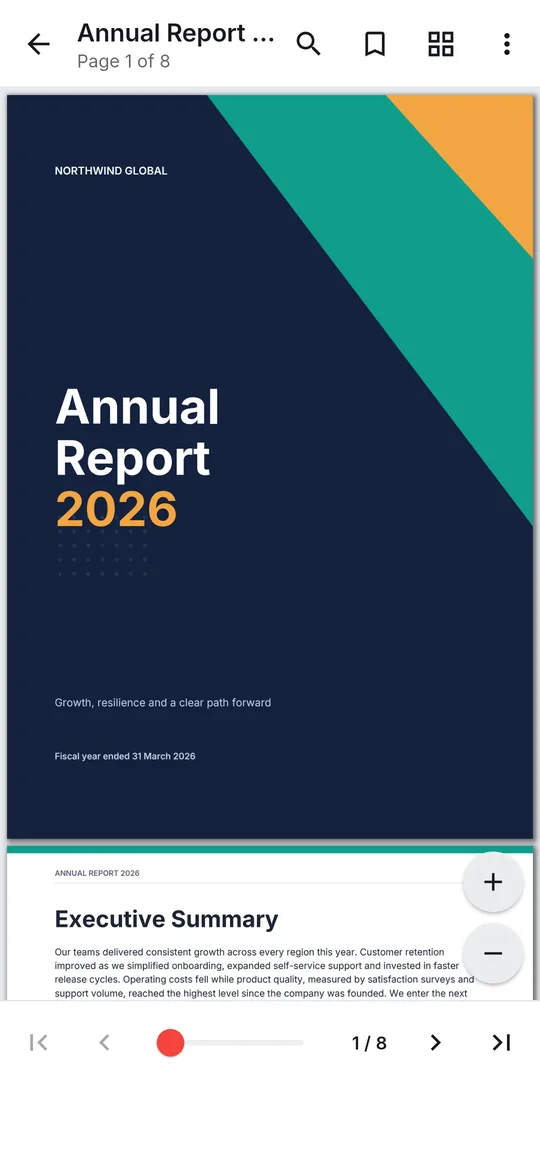
A PDF open in the reader with the page toolbar and zoom controls

Read

Read PDFs with ease

Open a contract, a textbook or a 300-page manual and start reading straight away. Find any word, jump through the contents and pick up where you left off.

  • Search in document and step through every match
  • Contents, page thumbnails, a page slider and Go to page
  • Bookmarks, and the reader reopens on your last page
  • Highlight, underline or strike through text, then find it again in Comments
  • Night mode, screen brightness and distraction-free full screen
More about the PDF reader
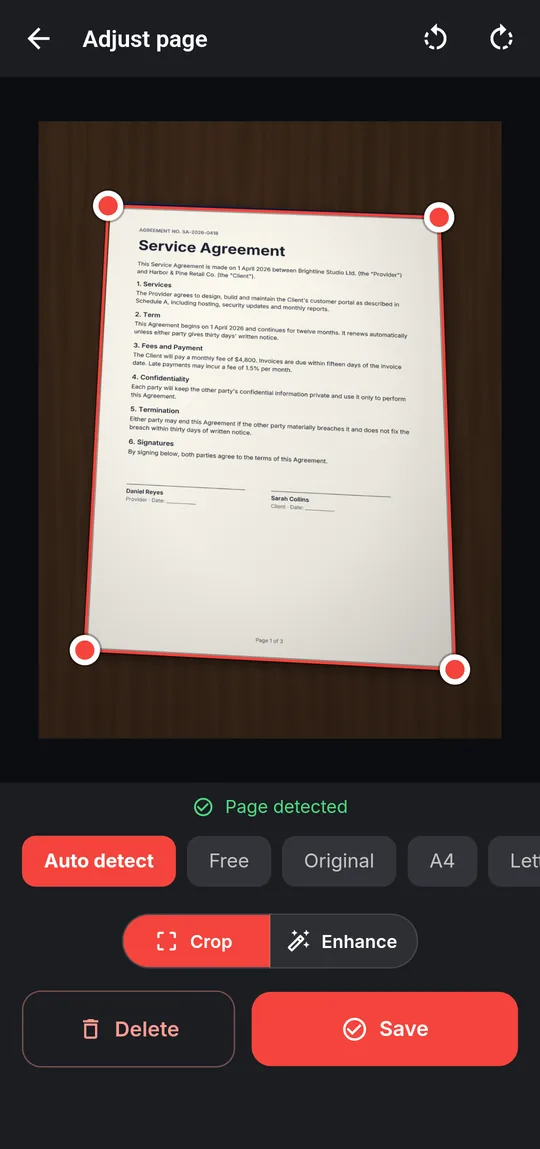
Scan to PDF adjusting the detected corners of a photographed document

Scan

Scan paper documents to PDF

Point the camera at a page and the scanner finds its edges, straightens an off-angle shot and cleans it up. Capture every page, then save them as one PDF.

  • Live page detection, with corners you can drag to fine-tune
  • Crop to Auto detect, free, A4, Letter or a custom ratio
  • Filters: Auto, Color, Grayscale, Document, Black & white
  • Multi-page scans: add, retake and reorder, then Create PDF
  • Run Make searchable afterwards to search and copy the text
More about the document scanner
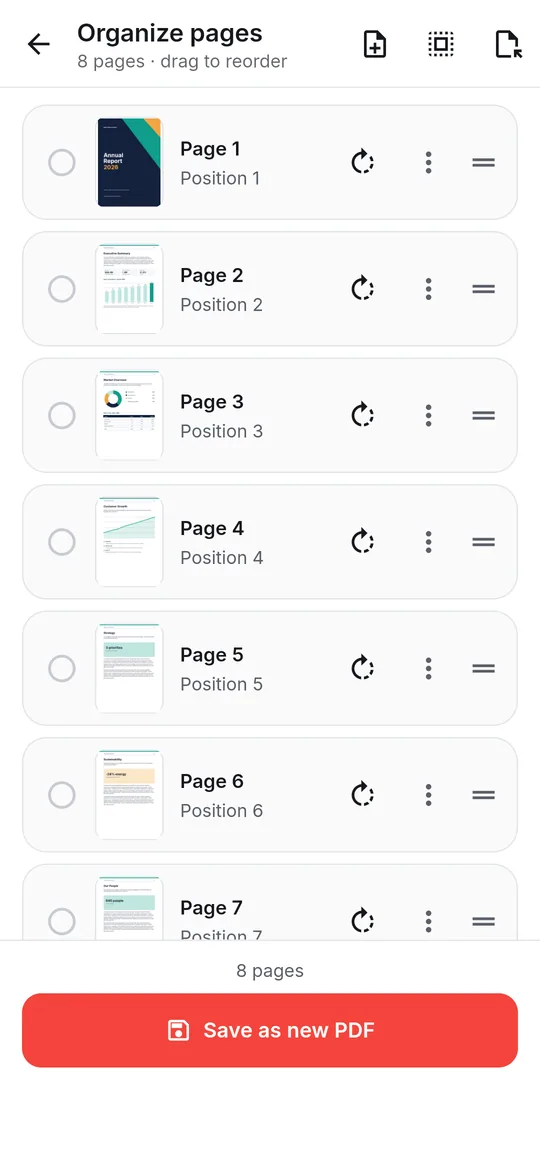
Organize pages showing page thumbnails with rotate and reorder controls

Organize

Merge, split and organize pages

Combine the scans, the invoice and the cover letter into one file, pull three pages out of a report, or put a document's pages in the right order — without losing its text, links or bookmarks.

  • Merge PDFs in the order you drag them
  • Split PDF every N pages, page by page or by the ranges you name
  • Organize pages: reorder, rotate, duplicate, delete, add blank pages, extract
  • Compress PDF re-encodes only the images, so text stays sharp and searchable
  • Merge, split, organize and rotate keep each page as it was: text stays selectable and searchable, and links, bookmarks and form fields keep working.
More about merge, split and compress
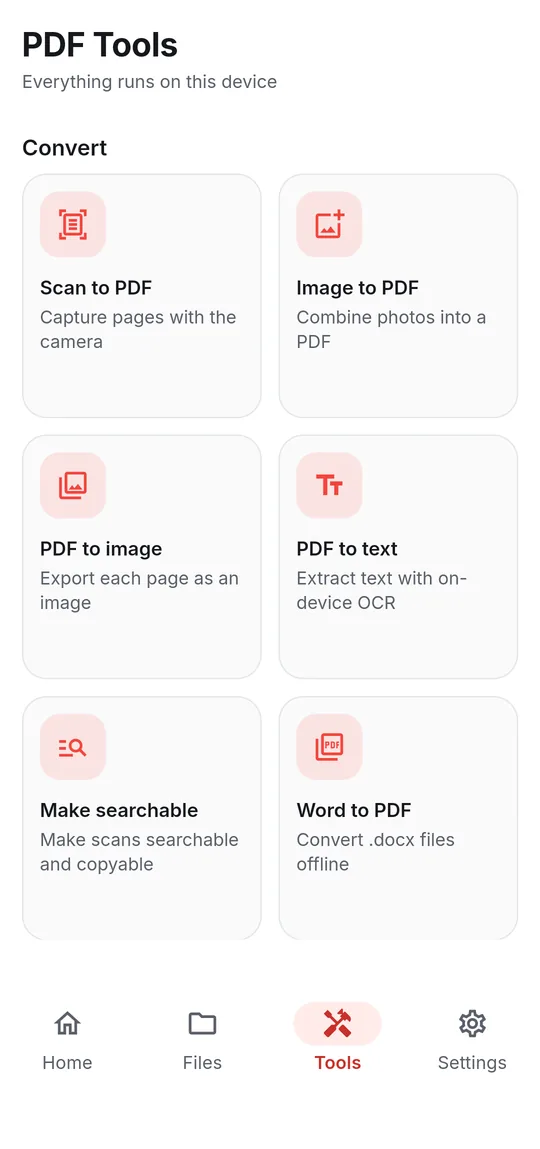
The PDF Tools screen listing Scan to PDF, Image to PDF, PDF to text and Word to PDF

Convert

Convert without uploading a thing

Most converters send your file to a website. Here the Word engine, the image pipeline and the text-recognition models are built into the app, so conversion works in flight mode.

  • Word to PDF and PDF to Word (.docx)
  • Image to PDF and PDF to image (PNG or JPEG)
  • PDF to text with on-device OCR, scanned pages included
  • Make searchable adds an invisible text layer to scanned PDFs
  • Text recognition reads English and other Latin-script languages, plus Hindi and Marathi
More about the PDF converter
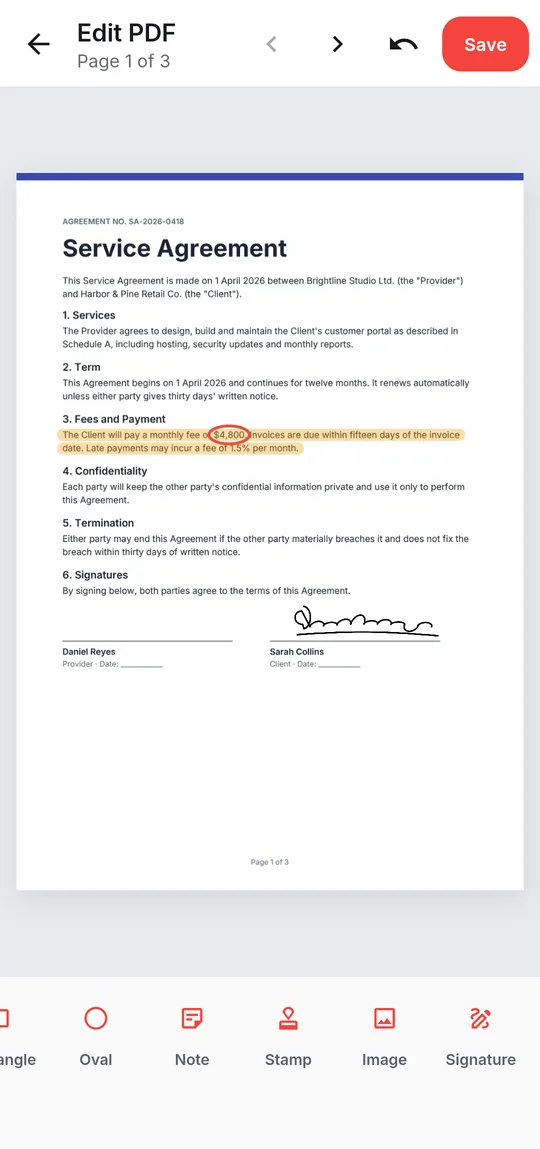
Editing a service agreement with a highlight, a signature and the annotation toolbar

Edit & sign

Edit, annotate and sign

Add a comment exactly where it belongs, mark up the clause that matters, then sign and send — without printing a page.

  • Text, Highlight, freehand Draw and Erase
  • Line, Arrow, Rectangle, Oval, Note, Stamp and Image
  • Signature: draw it once, reuse it on any document — stored encrypted on the phone
  • Edits are saved as real PDF annotations in a new copy; your original is untouched
More about the PDF editor
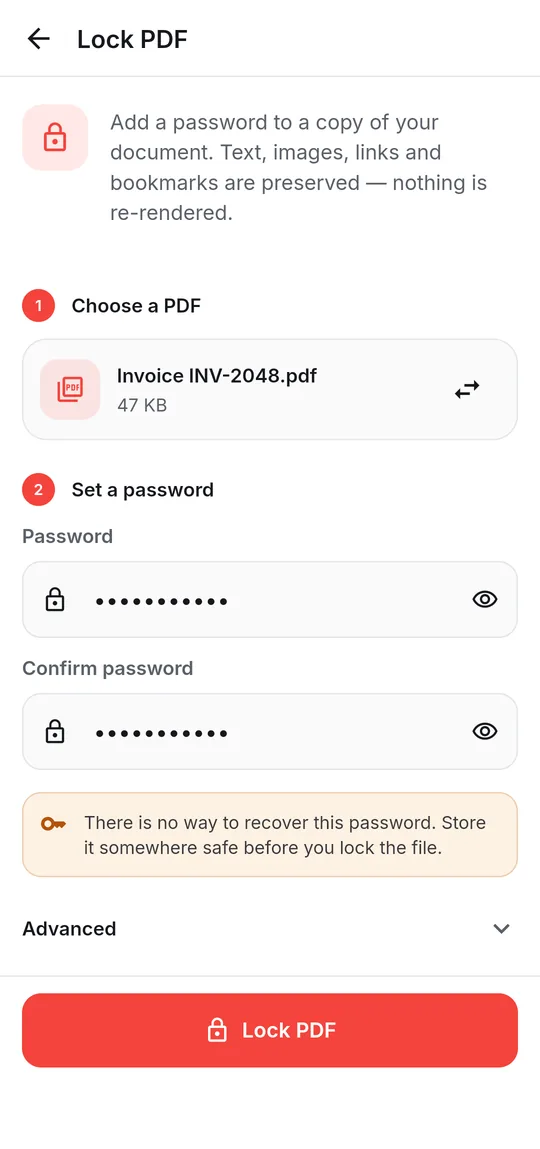
Lock PDF screen setting a password on an invoice

Protect

Keep your PDFs secure

Lock a document before you send it, or save an open copy of one you have the password for. Text, images, links and bookmarks are kept exactly — nothing is re-rendered.

  • Lock PDF with AES-256 (AES-128 for readers older than 2010)
  • Optionally block printing, copying, editing or form filling
  • Unlock PDF when you know the password — it is not a password cracker
  • Passwords you choose to remember stay on the device, in Keystore-backed encrypted storage
More about lock and unlock

Good to know

Current limitations

We would rather you know before you install.

  • Android onlyPDF Reader is an Android app (8.1 and later). There is no iPhone, desktop or web version.
  • Text recognition scriptsOCR reads Latin-script languages, Hindi and Marathi. Gujarati, Tamil, Telugu and Arabic text can't be recognized yet.
  • Office formatsWord to PDF takes .docx only (not .doc). Excel and PowerPoint conversion is not available.
  • Forms and existing textInteractive form fields are kept but can't be typed into yet, and the editor adds content on top of a page rather than rewriting its text.
  • SignaturesA drawn signature is an image on the page, not a certificate-based digital signature.
  • Ads and saving resultsWhen some tools finish, the app may ask you to watch a short video before the new file is saved. If you are offline or no video is available, the file is saved anyway — and your original is never changed.
  • Where files are savedNew files are saved in the app's PDFReader folder. Android removes that folder if you uninstall the app, so use Move to folder… or Share for anything you want to keep.

Get PDF Reader on Google Play

Reader, editor, scanner and converter in one free Android app. Android 8.1 or later. Supported by ads. No account needed.